


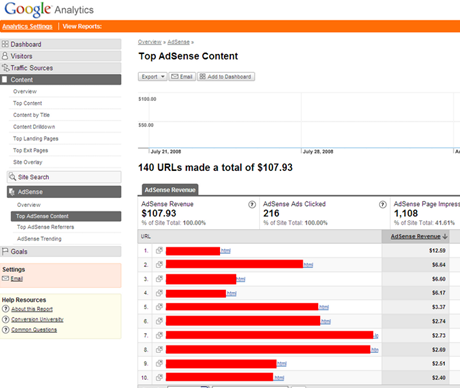
Google Analytics Tracking Google Adsense Revenue screenshot
|
|
|---|
Showing posts with label Google. Show all posts
Showing posts with label Google. Show all posts
Google Analytics to Track Google Adsense Revenue
Bugs Bothering Adsense Code in Blogger.com/Blogspot Posts

Hi, Bloggers you are using Google's Blogger.com and wanna (or already) put Adsense ads into the blog posys, maybe you need to pay attention! There are possibly have bugs in Blogger.com platform.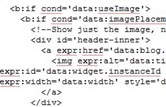
Bloggers love put Adsense Ads directly in a blog post because they can attract a lot of clicks, which means money. But since Google has used its new Blogger html codes (or B html codes, see right image) to construct new Blogger.com, it's well-known that one can not directly insert original Adsense ads code (see below, take a 336*280 ads as example). 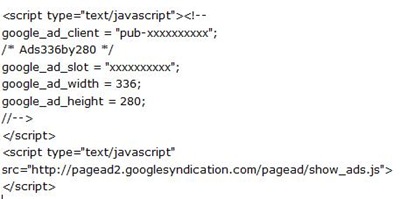 Or even though one forcefully does like that, Adsense Ads have no way to appear when visitors read his/her post in Blogger.com
So previously what one can do is to make two minor modifications, that is, change the arrows in <!-- and --> to their respective ASCII code. Sample below:
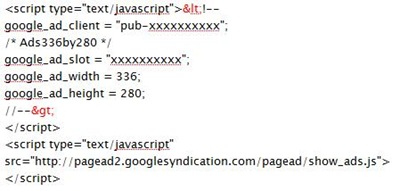 However this manner now seems being bothered by bugs. I just found codes below after I logged into Edit Html panel and expanded Widget Templates:
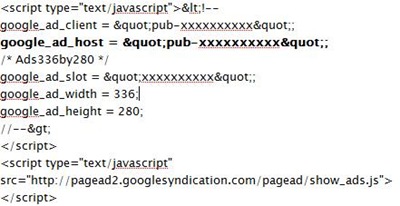
There is one more google_ad_host google_ad_slot = "xxxxxxxxxx"; injected.
If now I leave Edit Html panel by clicking Page Elements or Fonts and Colors tab, then again return to Edit Html, tick Expand Widget Templates, I was shown one more google_ad_host and something weird, looks like this:
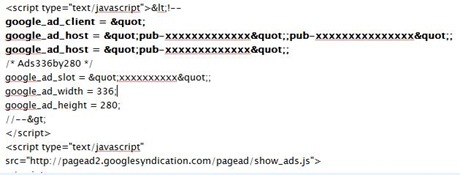
Repeat the step above, you can get even more google_ad_host, so I think there must be bugs existing in Blogger.com.
What I'm concerned is when there is a lot of google_ad_host, will Google charge me of changing the Adsense codes which is strictly prohibited in Google Adsense TOS?
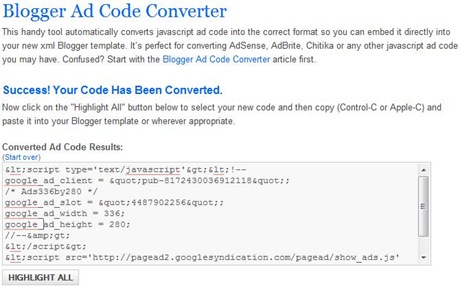
But no need to panic indeed, to solve the problem, just simply replace all the arrows (both < and >) for their respective ASCII codes, or you can directly go to Blogger Ad Code Converter at eBlog Templates where helps convert all of those parenthesis:
Attention! AdSense Ads Below Blog Post Title Violates TOS, Unless You Put Advertisement or Sponsored Links Indicator
Most bloggers, including myself, are quite enjoying the revenue originating from the Adsense ads put just below the title of every blog post, because that area is most visible to a visitor thus attracts the clicks.
Maybe now one has to pay attention to this matter, the webmasters at Quickonlinetips.com revealed that they had received an email from Google Adsense support team and were informed to do a little bit modification.
Back in this March, Meridith Major of AdSense Publisher Support clarified on Inside Adsense, saying "ads shouldn't be placed under titles such as “Dallas Business Opportunities” or “Today's Hot Deals”. Placing ads directly below titles such as these implies to your users that the links in the ads are publisher-created content." Apparently, these guidelines are not clear enough.
Google's email to Quickonlinetips.com made a further clarification. It said the title can still mislead visitors to click thus clearly required them to label the Google ads with text other than 'sponsored links’ or ‘advertisements’.
Needless to say, putting such word(s) may lead to less clicks. But to fully comply with Google Adsense's Terms of Services, Quikonlinetips add an word of advertisements right above their ads.
In the reality, a lot of blogs with huge traffics, such as some of my favorite sites--Neatorama, Popcrunch, all apply a Google ads unit right below their blog posts without indicating it is an advertisement. I'm just curious why Google Adsense Team not to make a statement on their official blog, rather email to the individual webmaster?
Tips: The Way That Migrates FeedBurner Account to Use Google AdSense for Feeds
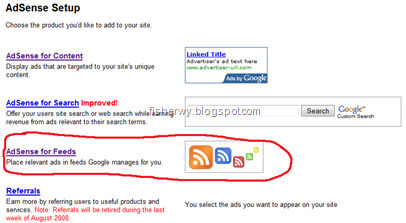
Google Adsense has just added a new way--Google Adsense for Feeds-- for its publishers to make more money. But one must have at least one feed in Feedburner.com. What all you need to do is to migrate a Feedburner account to a Google account. Currently Google only provide the manual process to migrate your accounts, follow the following way to migrate all of your feeds, and your account from feeds.feedburner.com to Google: Write an email to adsense-support-aff@google.com with Your FeedBurner account username & The Google Account email address you use to sign in to AdSense provided. Google will help do a job for you and contact you when necessary once migration is complete.
New Search Engine www.Cuil.com Launched by Anna Patterson, an ex-Googler


Anna Patterson
cuil.com
cuil.com
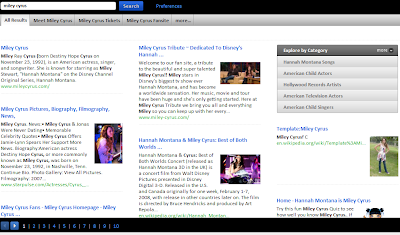
Screenshot of results yielding 0n Cuil.com when searching Miley Cyrus
Teyana Taylor 'Google Me' Video
This is Teyana Taylor's video for Google Me. It features a cameo from none other than Perezhilton.com.
Google vs God
A supplement collection of RC's previous Claude Presbyterian Church Google Billboard. Apparently, numerous churches believe that Google is not omniscient but God does.


Tags:
Unofficial Google Stores
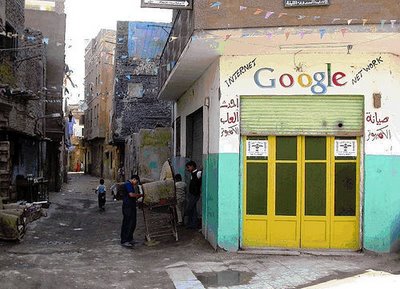
Google textile store in Istanbul, Turkey.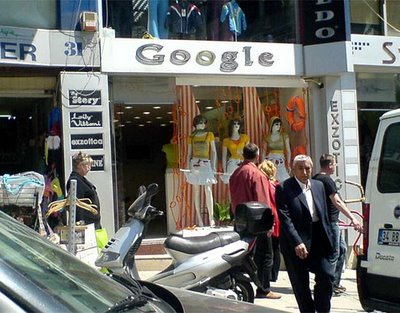 Google internet cafe in Cairo, Egypt.
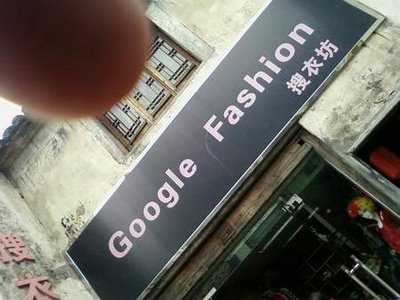
 Google Fashion in Shaoxin, Zhejiang Province, China
 Google Fashion in somewhere in Turkey.
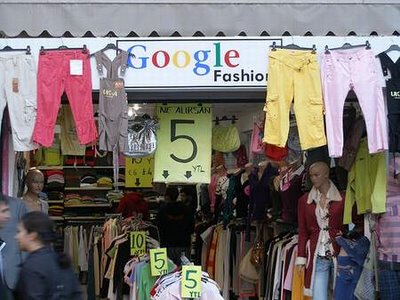 Pictures were found on Gseeker (3) & Googlified (1, 2, 4)
Previously, Random Citations posted a Google Fashion house also in Hangzhou, Zhejiang Province, China.
 Google internet cafe in Cairo, Egypt.
 Google Fashion in Shaoxin, Zhejiang Province, China
 Google Fashion in somewhere in Turkey.
 Pictures were found on Gseeker (3) & Googlified (1, 2, 4)
Previously, Random Citations posted a Google Fashion house also in Hangzhou, Zhejiang Province, China.
Tags:


Subscribe to:
Posts (Atom)